
Pccables
  • Inicio
  • Buscador
  • Contacto

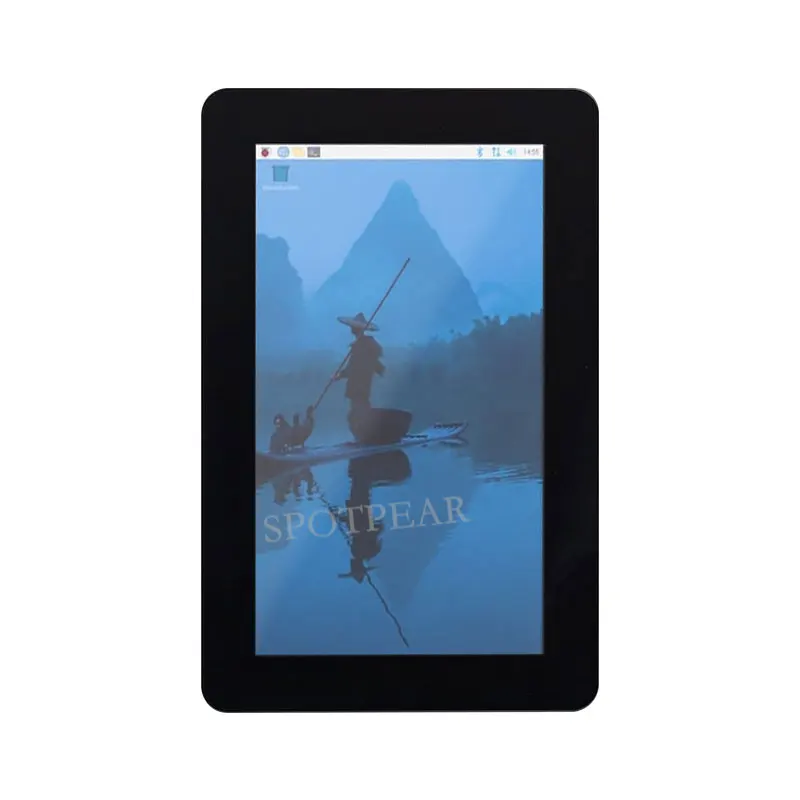
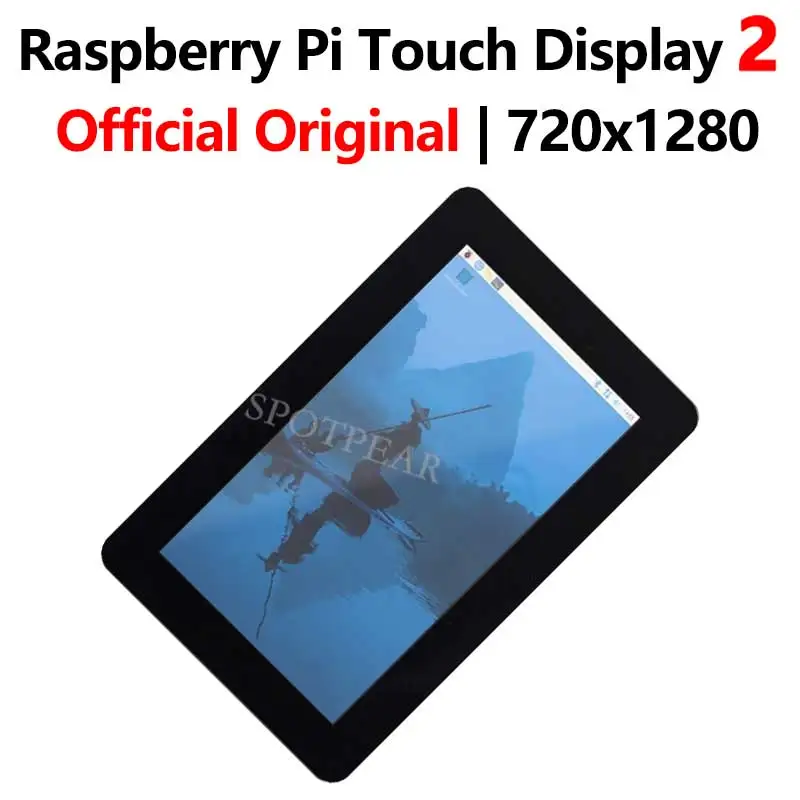
Raspberry Pi Touch Display 2 Pantalla táctil capacitiva original oficial LCD de 7 pulgadas 720x1280 TFT

Raspberry Pi Touch Display 2 Pantalla táctil capacitiva original oficial LCD de 7 pulgadas 720x1280 TFT
Raspberry Pi Touch Display 2 Pantalla táctil capacitiva original oficial LCD de 7 pulgadas 720x1280 TFT - imagen 1
Raspberry Pi Touch Display 2 Pantalla táctil capacitiva original oficial LCD de 7 pulgadas 720x1280 TFT - imagen 2
Raspberry Pi Touch Display 2 Pantalla táctil capacitiva original oficial LCD de 7 pulgadas 720x1280 TFT - imagen 3
Raspberry Pi Touch Display 2 Pantalla táctil capacitiva original oficial LCD de 7 pulgadas 720x1280 TFT - imagen 4
Raspberry Pi Touch Display 2 Pantalla táctil capacitiva original oficial LCD de 7 pulgadas 720x1280 TFT - imagen 5
En Stock
101,69 €
Comprar ahora
Con la garantía de Marketplace

Color

4 unidades vendidas
Última actualización: 2026-01-03T00:08:53.197Z

Descripción


[] Raspberry Pi Touch Display 2 is a 7″ touchscreen display for Raspberry Pi. It is ideal for interactive projects such as tablets, entertainment systems, and information dashboards.

【Parameter】
[]

[] Display size (diagonal): 7 inches

[] Display format: 720 (RGB) × 1280 pixels

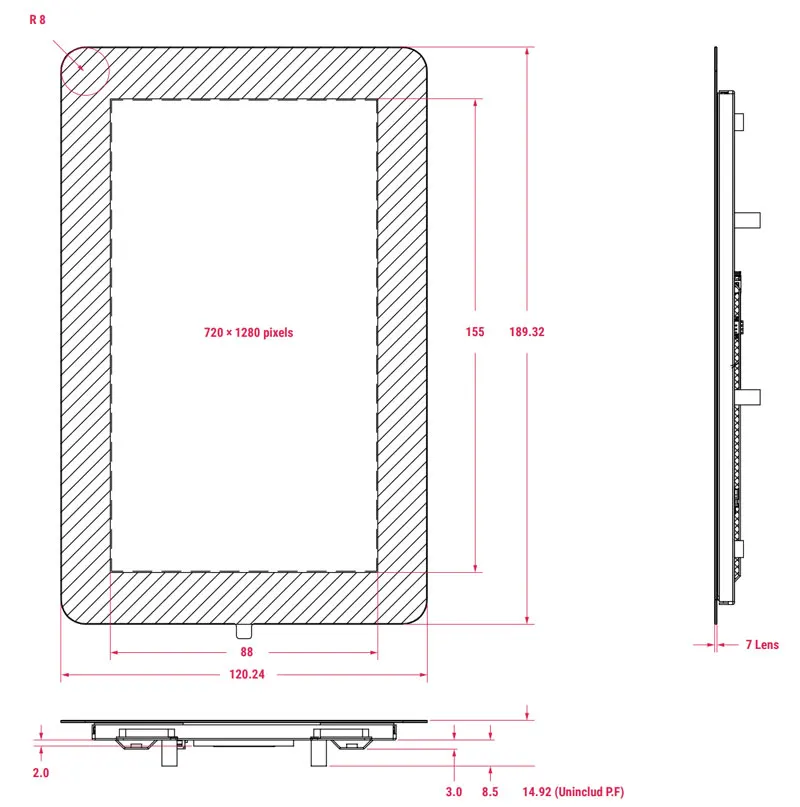
[] Active area: 88mm × 155mm

[] LCD type: TFT, normally white, transmissive

[] Touch panel: True multi-touch capacitive touch panel, supporting five-finger touch

[] Surface treatment: Anti-glare

[] Colour configuration: RGB-stripe


【Install】
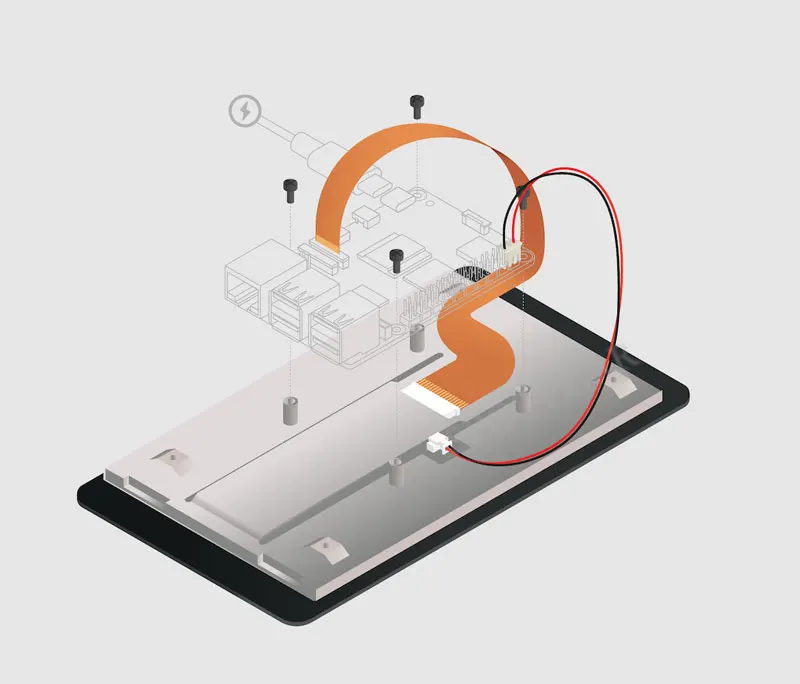


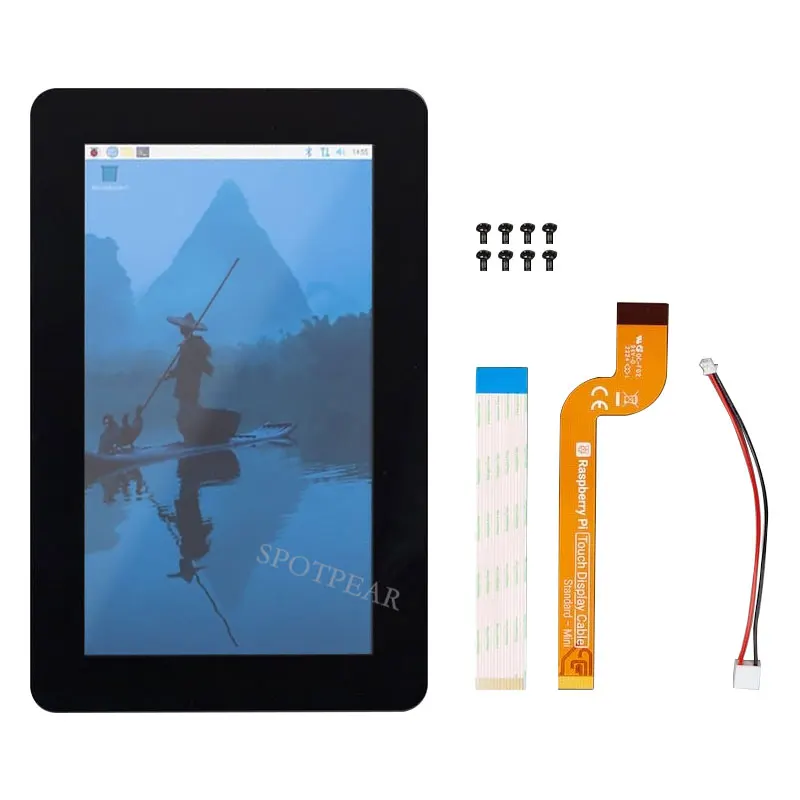
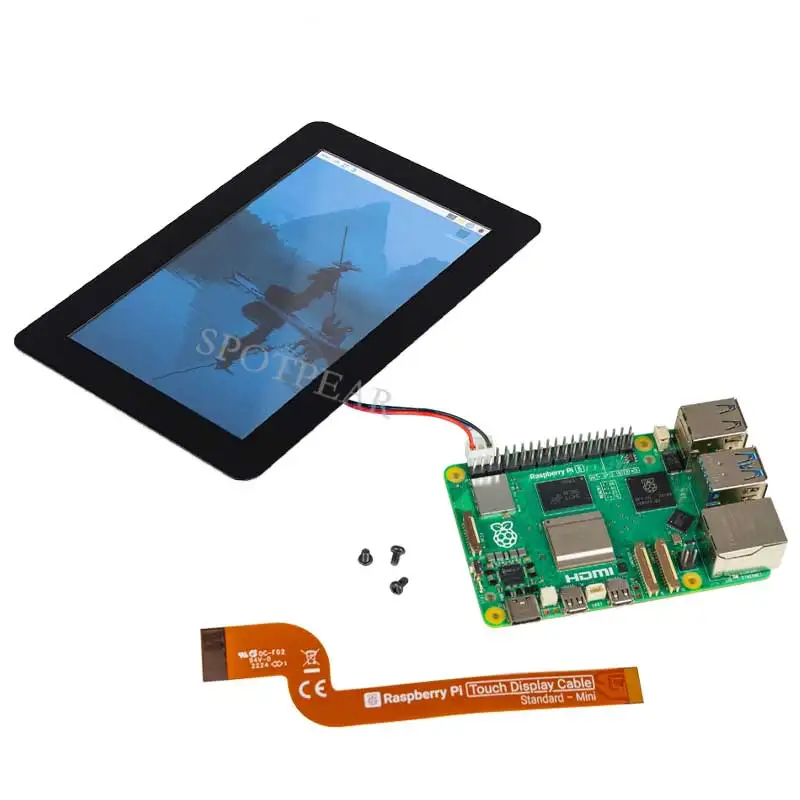
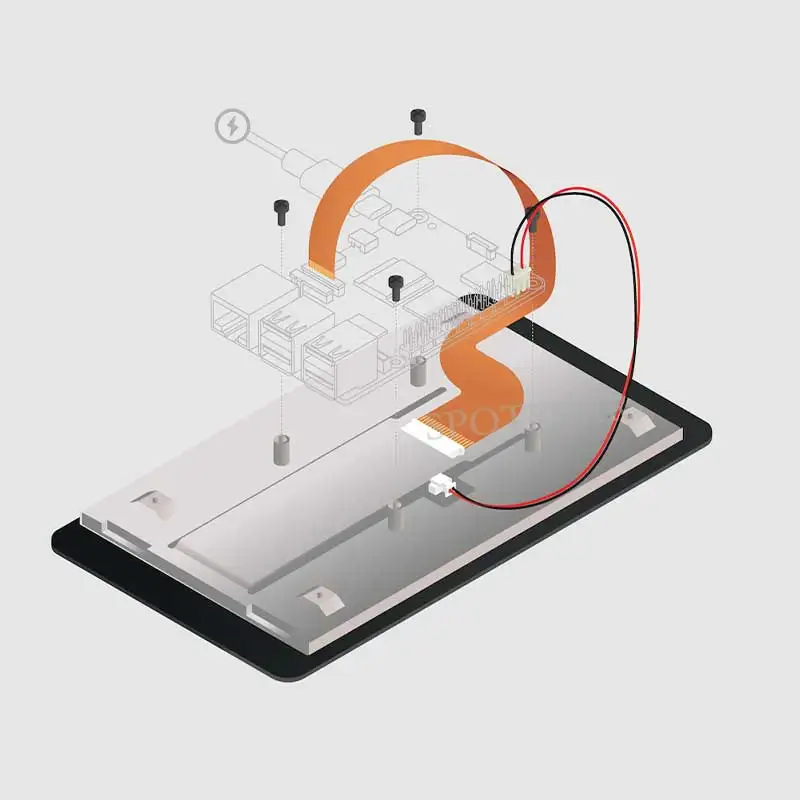
To connect a Touch Display 2 to a Raspberry Pi, use a Flat Flexible Cable (FFC) and a GPIO connector. The FFC you’ll use depends upon your Raspberry Pi model:

  • for Raspberry Pi 5, use the included 22-way to 15-way FFC

  • for any other Raspberry Pi model, use the included 15-way to 15-way FFC

Once you have determined the correct FFC for your Raspberry Pi model, complete the following steps to connect your Touch Display 2 to your Raspberry Pi:

    1. Disconnect your Raspberry Pi from power.

    2. Lift the retaining clips on either side of the FFC connector on the Touch Display 2.

    3. Insert one 15-way end of your FFC into the Touch Display 2 FFC connector, with the copper contacts facing upwards, away from the Touch Display 2.

    4. While holding the FFC firmly in place, simultaneously push both retaining clips down on the FFC connector of the Touch Display 2.

    5. Lift the retaining clips on either side of the DSI connector of your Raspberry Pi. This port should be marked with some variation of the term DISPLAY or DISP. If your Raspberry Pi has multiple DSI connectors, prefer the port labelled 1.

    6. Insert the other end of your FFC into the Raspberry Pi DSI connector, with the copper contacts facing towards the Ethernet and USB-A ports.

    7. While holding the FFC firmly in place, simultaneously push both retaining clips down on the DSI connector of the Raspberry Pi.

    8. Plug the GPIO connector cable into the port marked J1 on the Touch Display 2.

    9. Connect the other (three-pin) end of the GPIO connector cable to pins 2, 4, and 6 of the . Connect the red cable (5V power) to pin 2, and the black cable (ground) to pin 6. Viewed from above, with the Ethernet and USB-A ports facing down, these pins are located at the top right of the board, with pin 2 in the top right-most position.

    10. Optionally, use the included M2.5 screws to mount your Raspberry Pi to the back of the Touch Display 2.

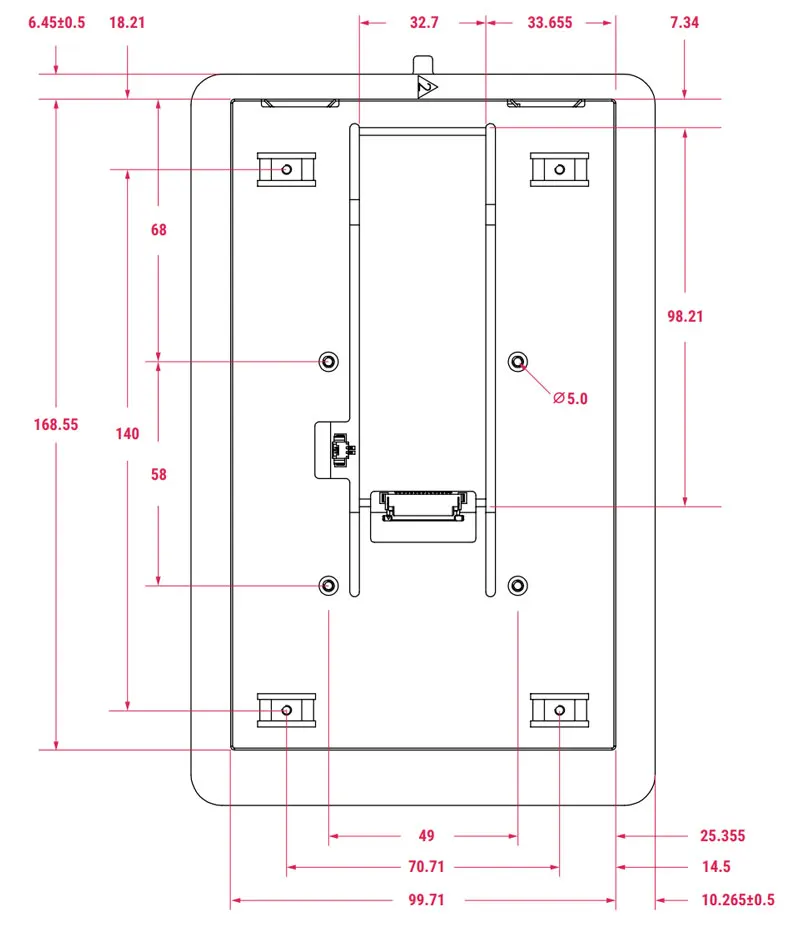
      1. Align the four corner stand-offs of your Raspberry Pi with the four mount points that surround the FFC connector and J1 port on the back of the Touch Display 2, taking special care not to pinch the FFC.

      2. Insert the screws into the four corner stand-offs and tighten until your Raspberry Pi is secure.


    11. 【Size】


      【
      Reference Links】

      []
      []

      []


      【PACKAGE CONTENT】

      [] Raspberry Pi Touch Display 2


Visto en: Computer & Office , Componentes de Ordenador , Sin categoría

Productos destacados

10 Uds 1,0mm 1,27mm 2,0mm 2,54mm cabezal de Pin doble fila macho 1/2 ~ 40P conector de placa PCB separable tira Pinheader 1*2/2P 4P 6-40p

10 Uds 1,0mm 1,27mm 2,0mm 2,54mm cabezal de Pin doble fila macho 1/2 ~ 40P conector de placa PCB separable tira Pinheader 1*2/2P 4P 6-40p

1,35 €
Disparador de Motor Rumble con función de vibración, reemplazo para controlador Xbox 360, 2 uds.

Disparador de Motor Rumble con función de vibración, reemplazo para controlador Xbox 360, 2 uds.

3,59 €
3 uds TPU suave película protectora transparente para Suunto Core Watch GPS Sport todo negro Smartwatch cubierta protectora de pantalla (no de vidrio

3 uds TPU suave película protectora transparente para Suunto Core Watch GPS Sport todo negro Smartwatch cubierta protectora de pantalla (no de vidrio

1,77 €
Hub USB multi 2,0/3,0 de 3 puertos, Mini concentrador USB, adaptador divisor giratorio de alta velocidad para ordenador portátil, Notebook, PC, accesorios de ordenador

Hub USB multi 2,0/3,0 de 3 puertos, Mini concentrador USB, adaptador divisor giratorio de alta velocidad para ordenador portátil, Notebook, PC, accesorios de ordenador

2,47 €
Correa de muñeca de repuesto para reloj inteligente Xiaomi Amazfit GTS 3 GTS 4, correa de resina GTR de 42MM Bip 3 GTS2 GTS4, Mini pulsera, 20mm

Correa de muñeca de repuesto para reloj inteligente Xiaomi Amazfit GTS 3 GTS 4, correa de resina GTR de 42MM Bip 3 GTS2 GTS4, Mini pulsera, 20mm

12,51 €
Película de papel para Xiaomi Pad 7 11,2 pulgadas 2024 7 Pro 11,2 5 5 Pro 6 11 pulgadas Protector de pantalla para Redmi Pad SE 8,7 SE 11 10,61 mate

Película de papel para Xiaomi Pad 7 11,2 pulgadas 2024 7 Pro 11,2 5 5 Pro 6 11 pulgadas Protector de pantalla para Redmi Pad SE 8,7 SE 11 10,61 mate

6,43 €
AÑADIR A LA CESTA

© 2023 PcCables. Todos los derechos reservados

Aviso Legal | Política de Privacidad y Cookies | Mapa de sitio web

Review image