

Enviado desde
Descripción
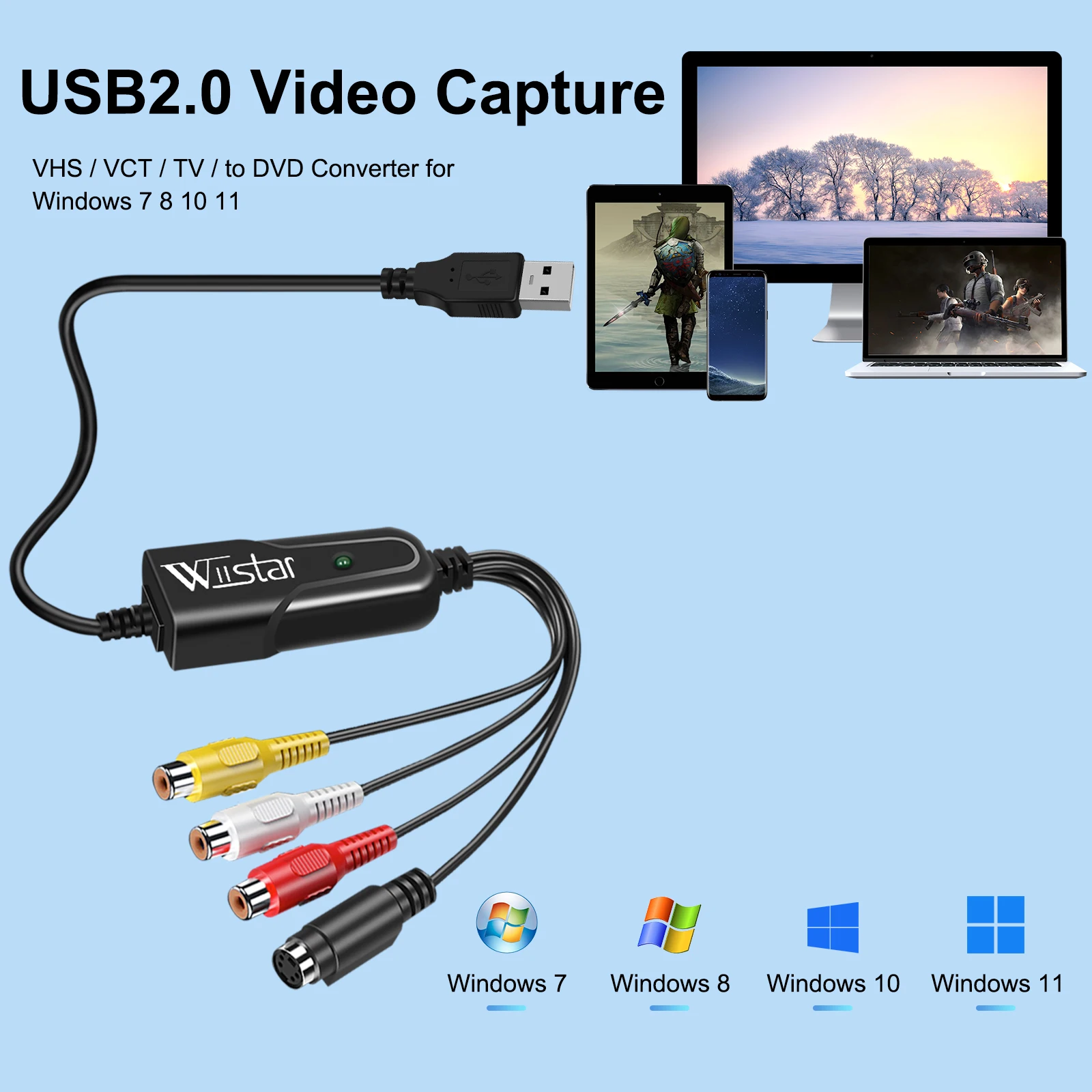
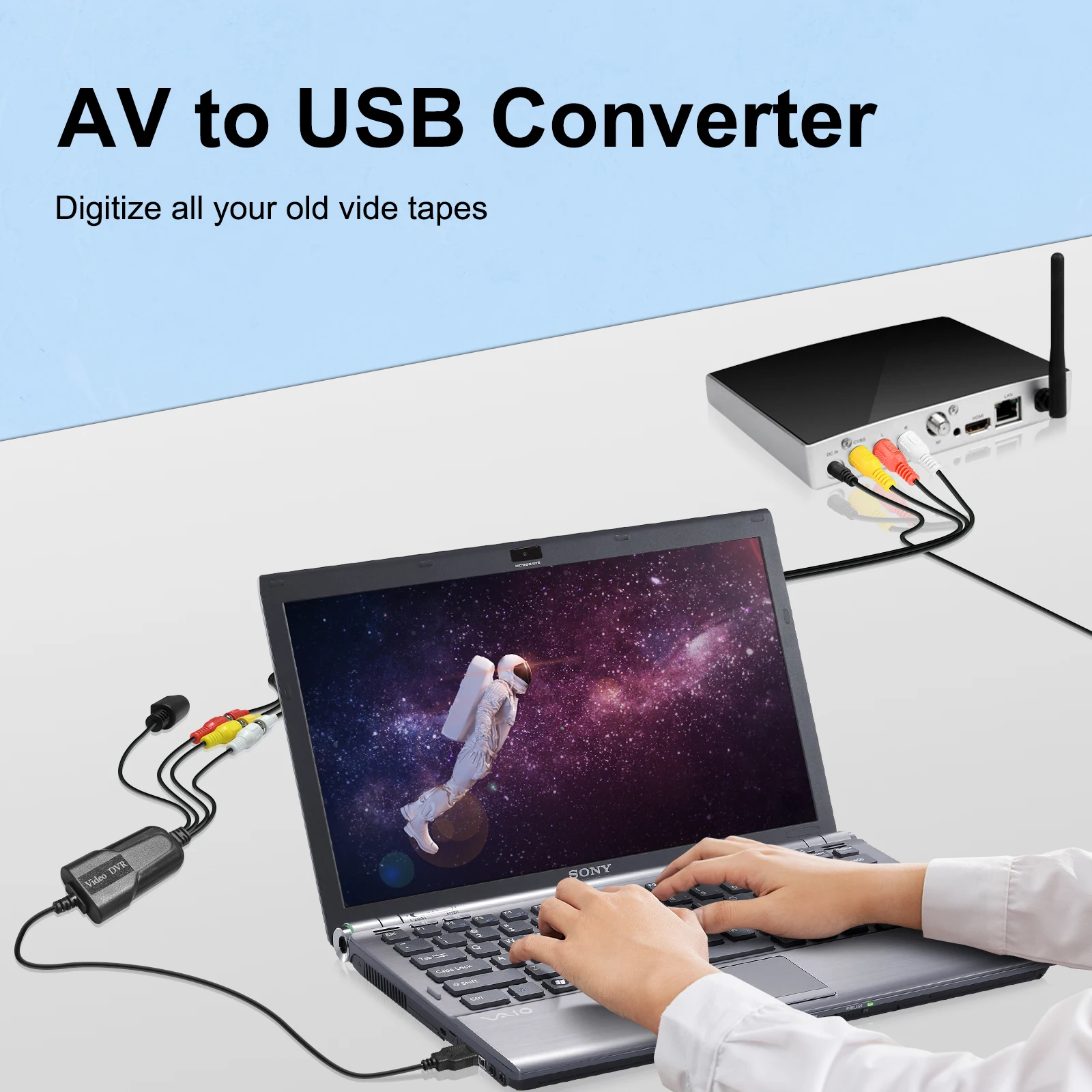
Please download a video capture program such as Potplayer or AMcap, so that you can record audio and video easily and quickly and save it to the computer.
Example: Potplayer(windows 7)
Install Potplayer software on the computer.
Double click the Potplayer icon to open the software.
Click on "Potplayer Open Device Settings..." Or use the shortcut "Alt + D" to open the device settings window.
① Select "Analog TV";
② Select "USB device" under the Video Device Box;
③ Select HDMI under the Input Box;
④ Select suitable for the resolution of the device under the Resolution Box;
⑤ Select "Use audio capture device" under Audio Box;
⑥ Select Audio capture device"AV TO USB2.0"
⑦ Click "Open device" to open the capture interface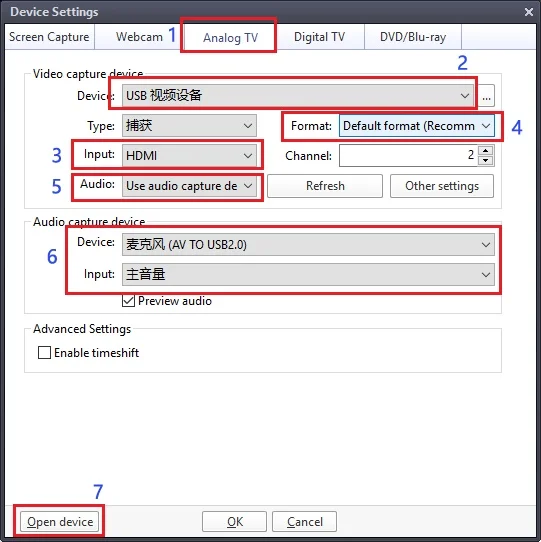
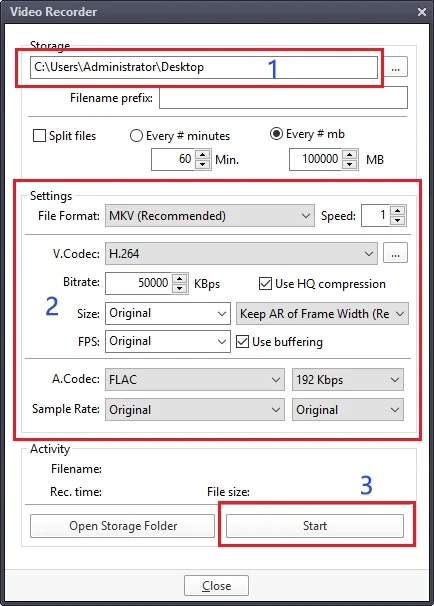
4. Click "Potplayer Video Video recoder" or press the shortcut key "Alt + C" to open the audio window.
① Choose a save location;
② Set up audio and video capture;
③ Turn on audio and video capture, then you can star to capture video and audio.
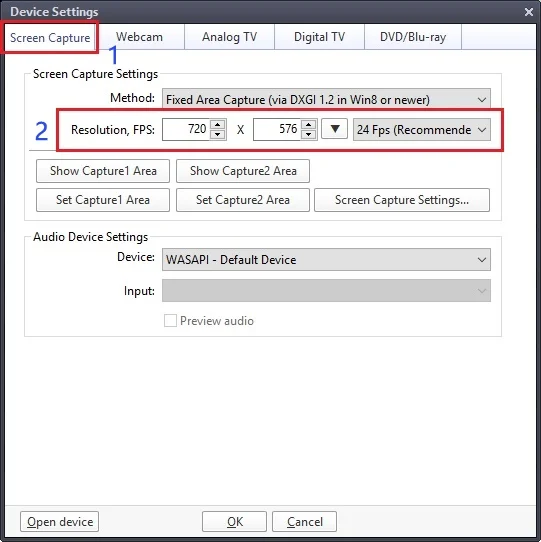
5. If you want to change the resolution of video, Click on "Potplayer Open Device Settings..." Or use the shortcut "Alt + D" to open the device settings window. Select "Screen Capture",then you can change the resolution.