En Stock
110847 €
Con la garantía de 
Color
7 unidades vendidas
Última actualización: 2026-03-04T01:11:18.624Z
Descripción
Introduction:
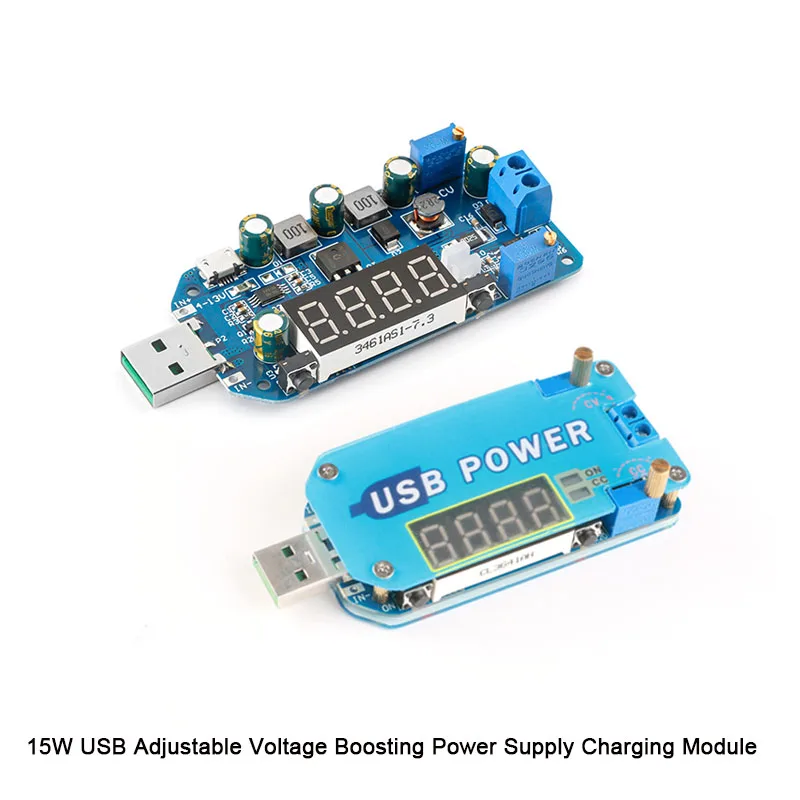
1, 15W power, 2A current, can be used for router power supply.2, as a USB input adjustable desktop power supply, you can adjust the output voltage arbitrarily, limit the current 0-2A(Wide input 4-13V wide output 0.5-30V any adjustment, with short circuit protection, short circuit does not burn)3, as a USB charging cable, arbitrarily adjust the charging voltage and maximum charging current(Any voltage, with constant current, anti-backflow, to meet the charging of most batteries)4, multiple protection (short circuit, over current, over temperature, over power, over voltage protection, charging anti-backflow protection)15W USBInput 4-13V to 0.5-30V any adjustment Double selectionConstant Voltage Constant Current Desktop Power Desktop Charger Router PowerThree power supply modes, the actual power supply range is 4-13V.ON indicator: Lights up when the output is turned on, otherwise it is off.CC indicator: Lights up when constant current (reaching current limit), otherwise it is off.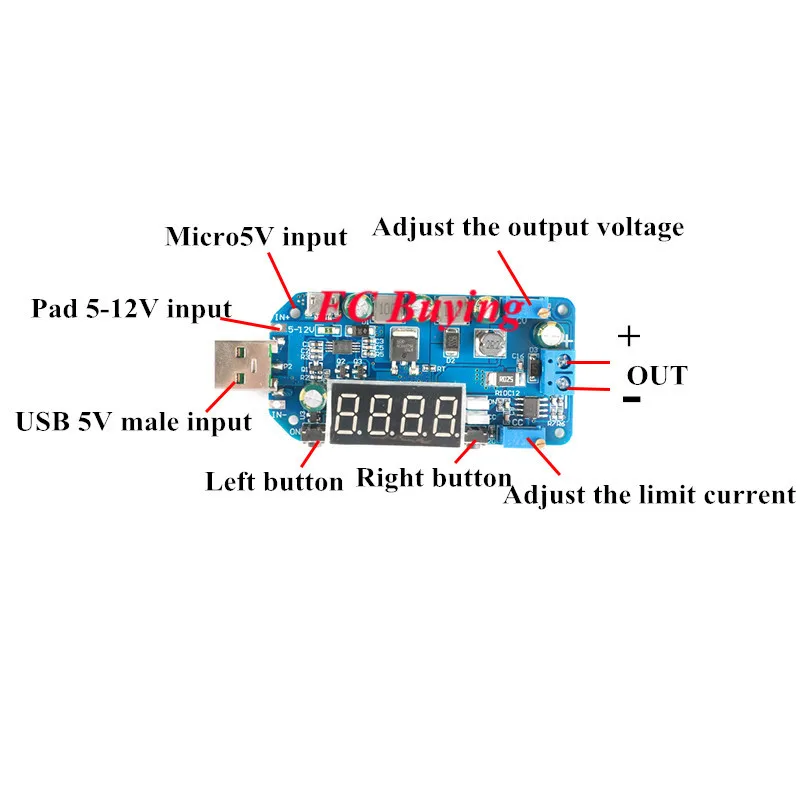
Left button: short press -- control ONOFF or subtraction in calibration mode";Long press -- set power-on default output ON/OFFRight click: short press technology - switch display output voltage, output current, output power, wheel display;Press and hold to enter or exit the calibration mode.Product parameters:1. Input voltage: 4-13V (When inputting with a disk, be careful not to connect the positive and negative poles, do not connect the AC power)2. Output voltage: 0.5-30V3. Output current: 0-2A (The output current in constant voltage mode is adaptive according to the load size, it is not adjustable. If you set the limit current force 1A, then the load current is greater than 1A, automatically enter constant current touch Type, maximum output 1A)4. Output power: less than 15W (when the output power is greater than 15W, the output is automatically turned off, the display shows -OP-, after reducing the negative cutoff power, press the ON/OFF button to solve), when the input current is too large, it may be due to temperature protection. Can not work for more than 10W for a long time.5. Voltage display: resolution 0.1V. Factory accuracy +0.1V (if the accuracy is high, it can be corrected manually after comparison with standard voltmeter)Manual correction after comparison of voltmeters)6. Current display: resolution is 0.01A, range is 0-2.2A, factory accuracy is about 0.05A: when the output current is less than 0.05A, the display error is large, and the small current within 10-40mA cannot be displayed (if the accuracy is high, It can be manually corrected after comparison with standard ammeter. When the output current is greater than 1A, the calibration is more accurate. It is not recommended to calibrate at low current.7. Power display: 0.00W-15.0W8. Temperature protection: When the power component temperature is higher than 100C, enter -OT-protection, reduce the negative power and press the ON/OFF button to solve (the power will work for less than 10W for a long time without entering the OT protection, when the input current is greater than At 3A, it may enter over-temperature protection when working for a long time, even if it does not reach 15W)So that it does not reach 15W)9. Working current: about 30mA10. Charging anti-backflow: Yes, you can charge directly by battery, no need to add diode11. Short circuit protection: Yes
Function Description:
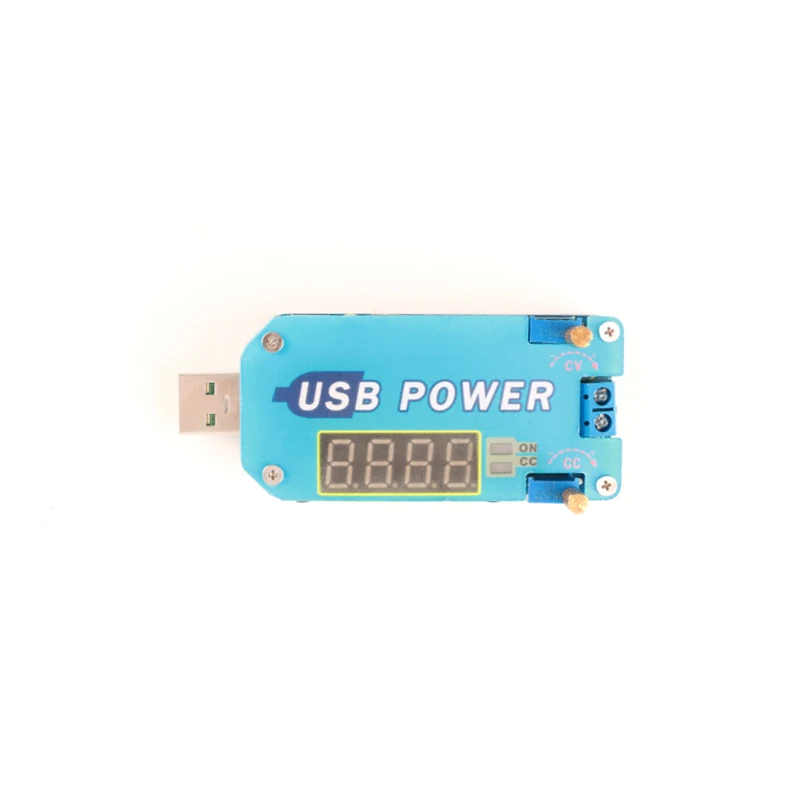
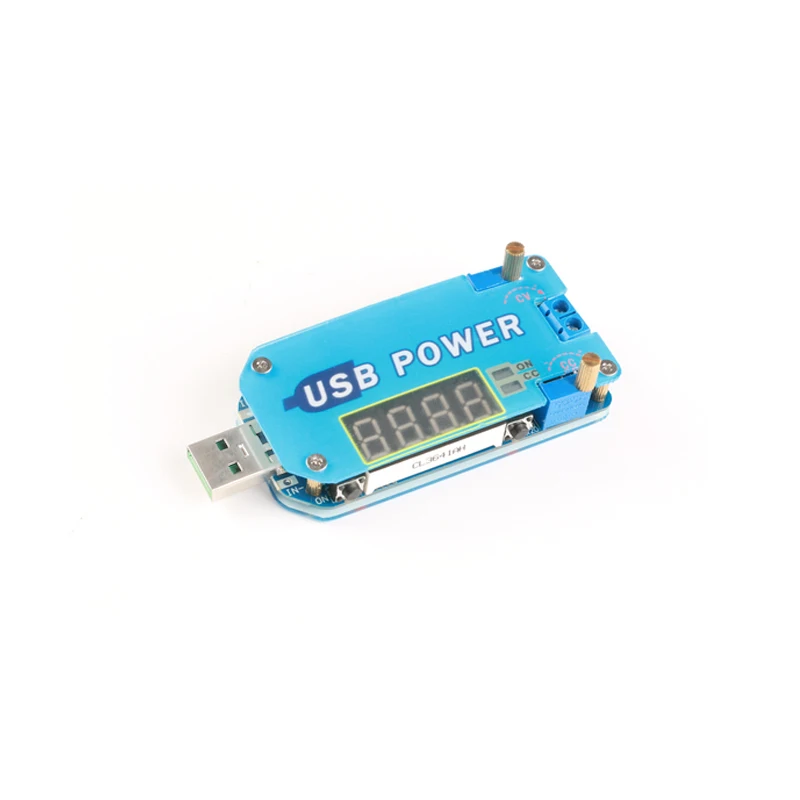
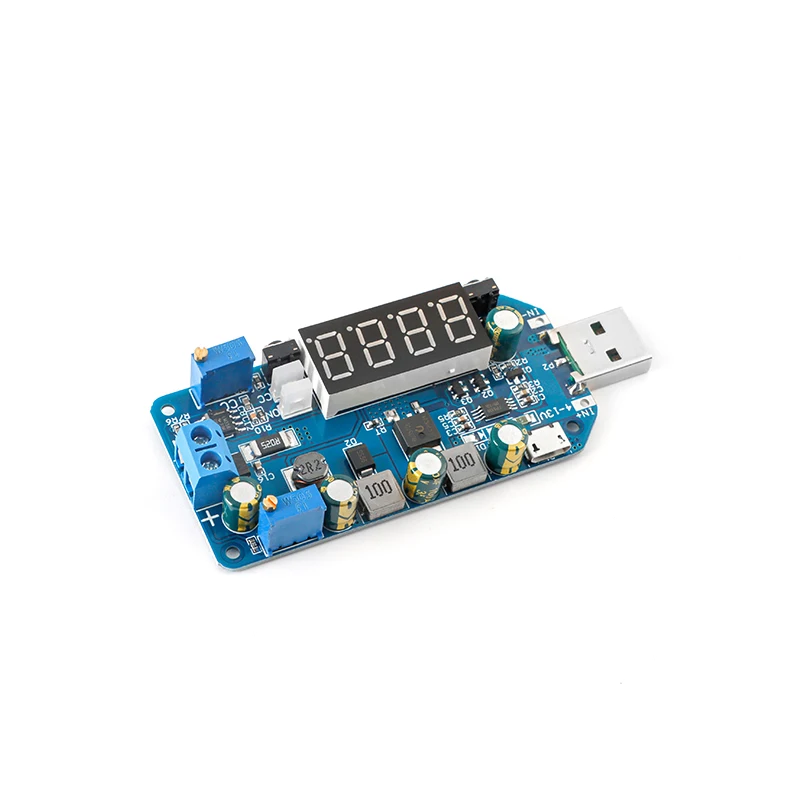
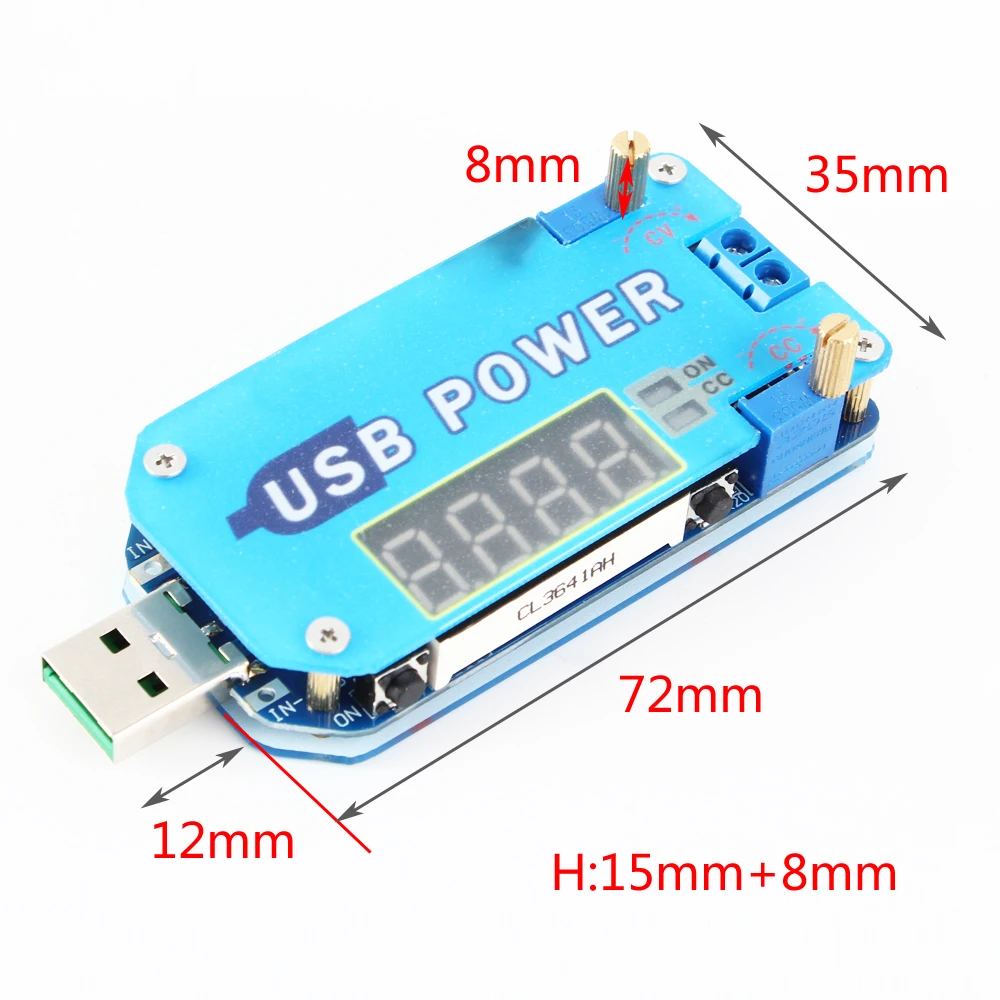
1. ButtonSELECT" button: short press - switch between voltage, current, power, wheel display: long press - enter or exit calibration mode:ON/OFF"" button: Short press - control the output terminal to turn on or off: long press - set the power-on default output to be off or on, long press for more than 3s to release, display ON means that each power-on default output , Display OFF means there is no output by default for each power-on.2. Potentiometer knobThe current adjustment potentiometer CC rotates clockwise to increase the limit current value. When the load current reaches the limit current, it enters the constant current state (note that the potentiometer can increase the output current, under constant pressure,The output current depends only on the load and is based on the load):Maximum output current (constant current value) setting method: switch to current display, directly short-circuit the output terminal to adjust the CC potentiometer, the current display current value is the maximum output current;The voltage adjustment potentiometer CV rotates clockwise to increase the output voltage.3. Indicator lightCC—Constant current indicator light, bright when constant current (red):ON - Output status indicator (green):4. Input and output portsInput - left, USB male, microUSB, and pad are selected as inputs:Output - right side, mushroom color 2P terminal as output.4. Accuracy calibration method:Output voltage calibration—When the digital tube always displays the voltage, press and hold the “SELECT” button for more than 3 seconds to release, the digital tube flashes, short press “SELECT button, the voltage value increases by one unit, short press ~ON/OFF” button voltage The value is reduced by one unit. When the output voltage is low, it may be necessary to press the number of times to change to 1 7.7.V: Press and hold “SELECT” for more than 3 seconds to release the calibration mode.Output current calibration—When the digital tube always displays the current, press and hold the “SELECT” button for more than 3 seconds to release, the digital tube flashes, short press the “SELECT” button, the voltage value increases by one unit, short press the “ON/OFF” button. The voltage value is reduced by one unit. It may take several times to see the value change 0.01A: Press and hold the SELECT button for more than 3 seconds to release the calibration mode. Note: The calibration is more accurate when the current is greater than 1A; the output current is less than 0.05. When A is displayed, the error is large, and the output current may be less than 10-40 mA.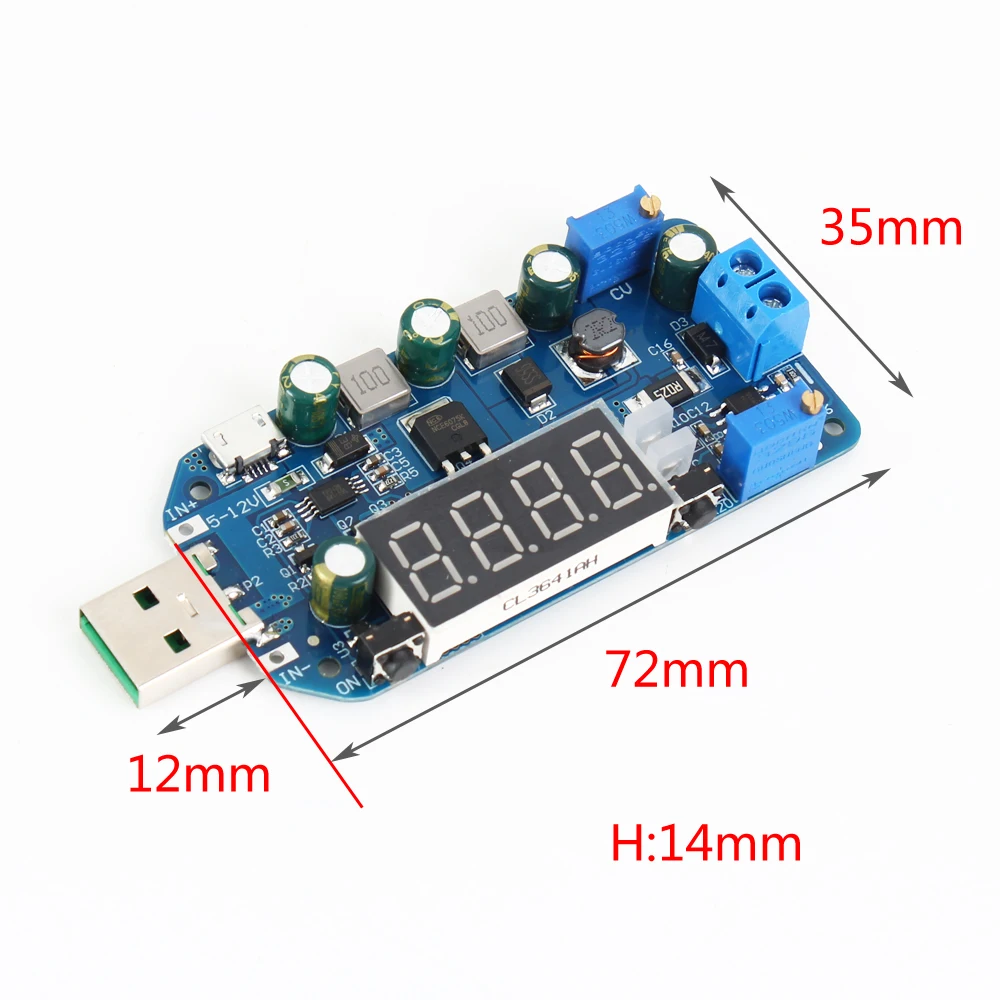
Opiniones de clientes
1 opinionesJ
11 de julio de 2025
perfecto
Variante: Color:Deceive