En Stock
201,99 €
Con la garantía de 
Color
Última actualización: 2026-03-04T01:18:06.910Z
Descripción
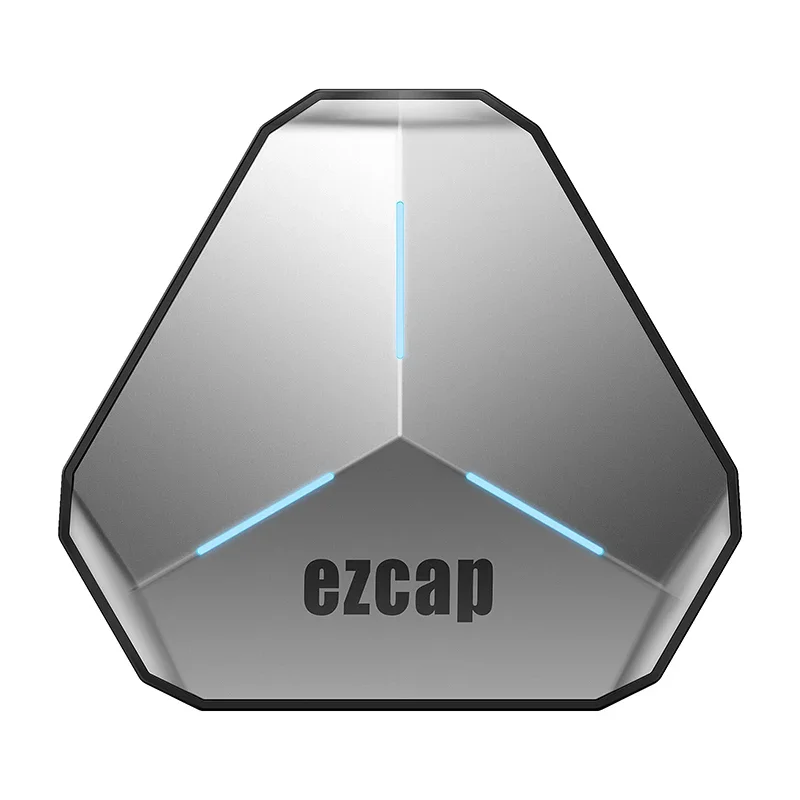
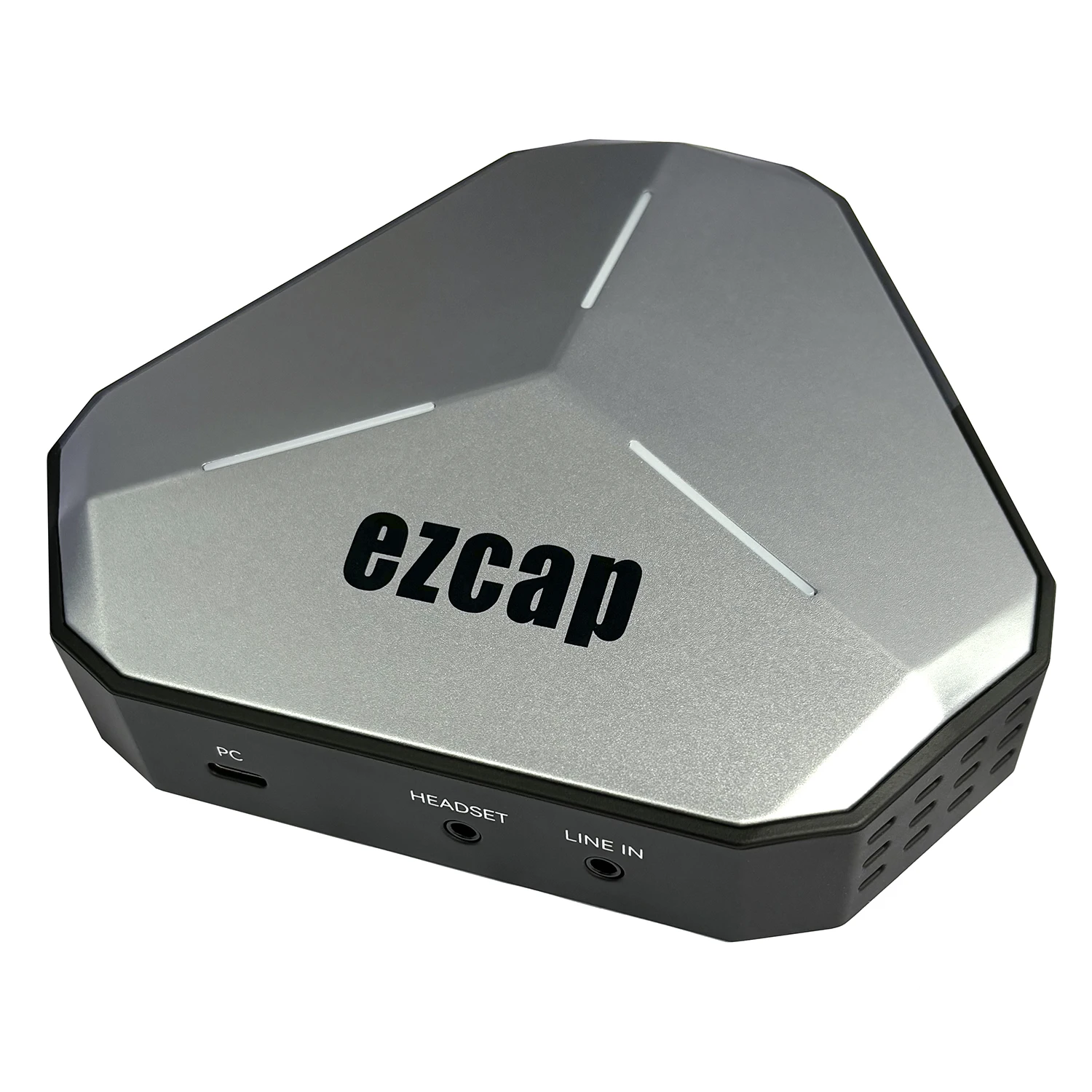
ezcap368 GameDock Extreme Duo
Thanks for purchasing ezcap368 GameDock Extreme Duo game capture card.
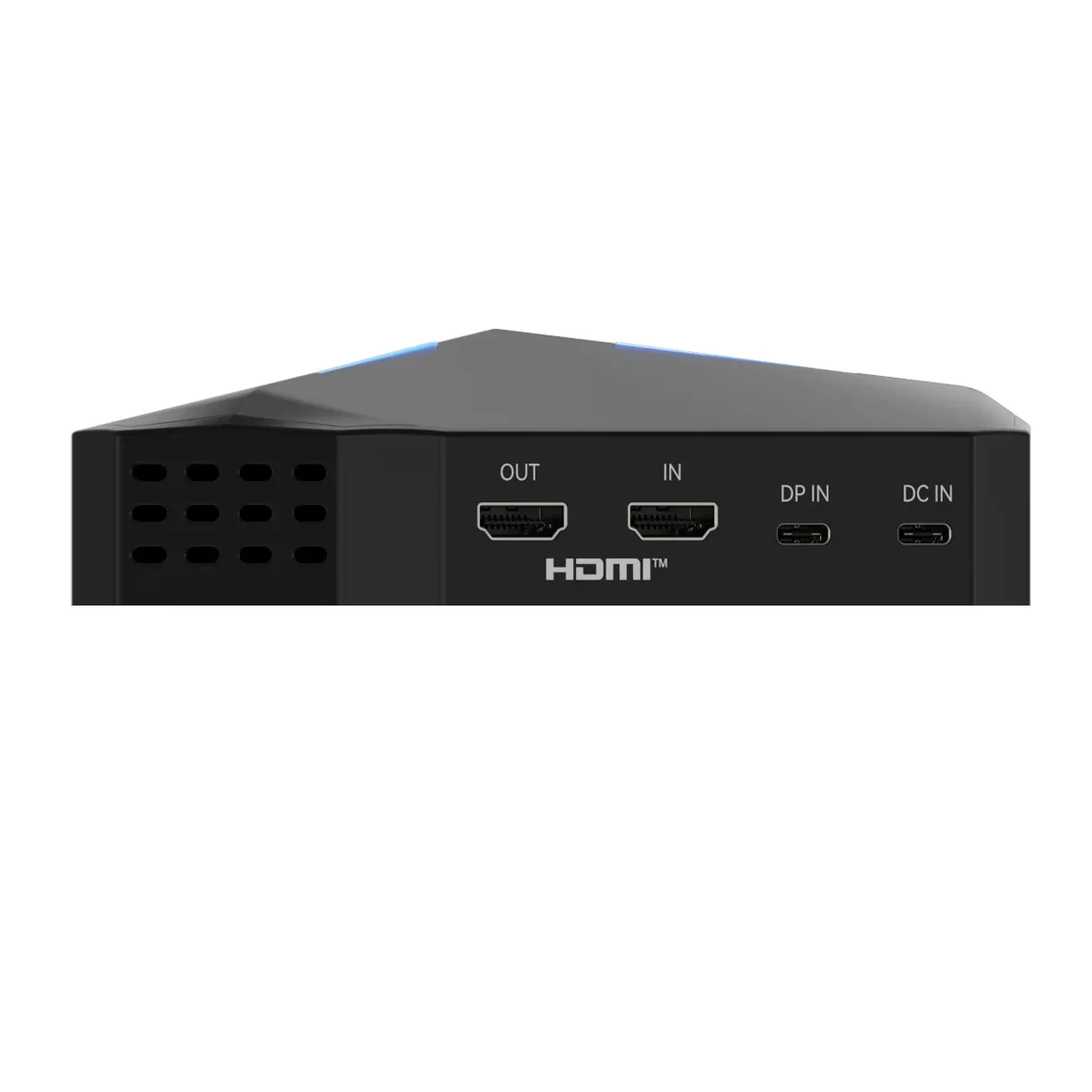
You can use this device: Input HDMl and DP video, and output HDMl video up to4KP60 resolution,
and capture and stream up to 4KP60 or 1080P120 on yourcomputer, and mix microphone and
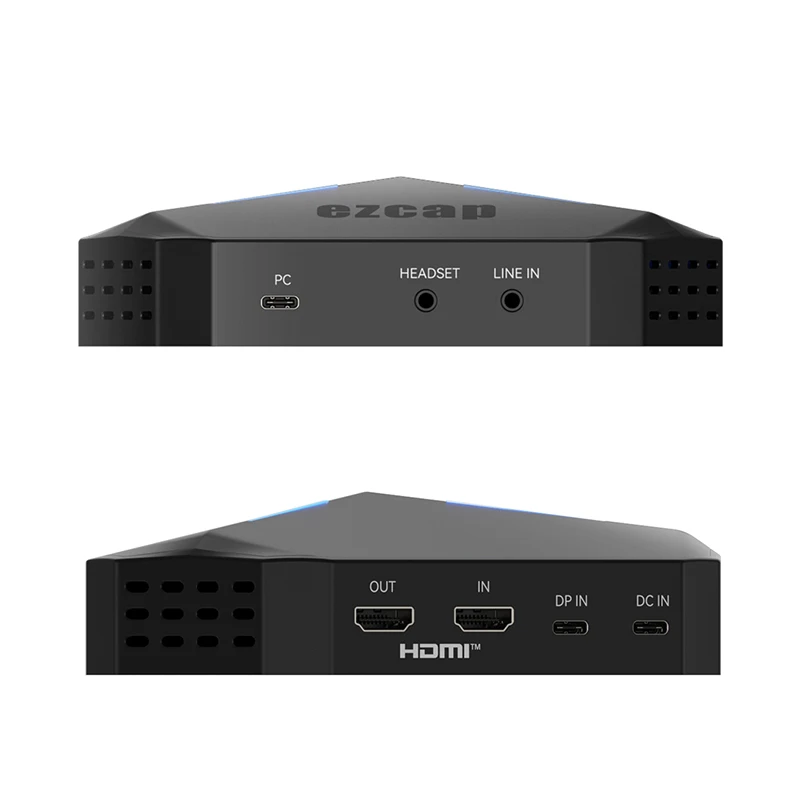
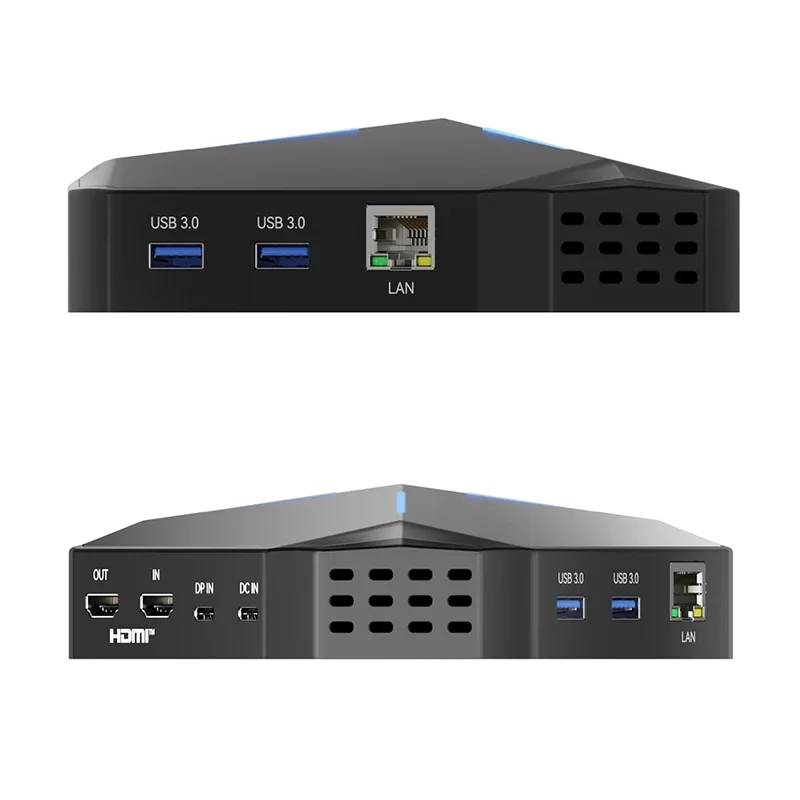
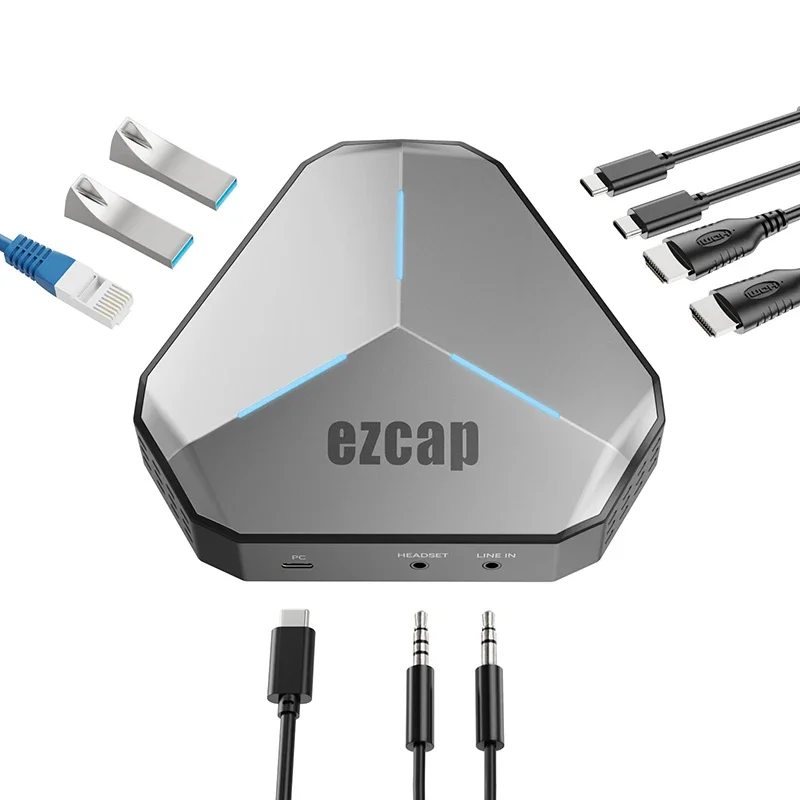
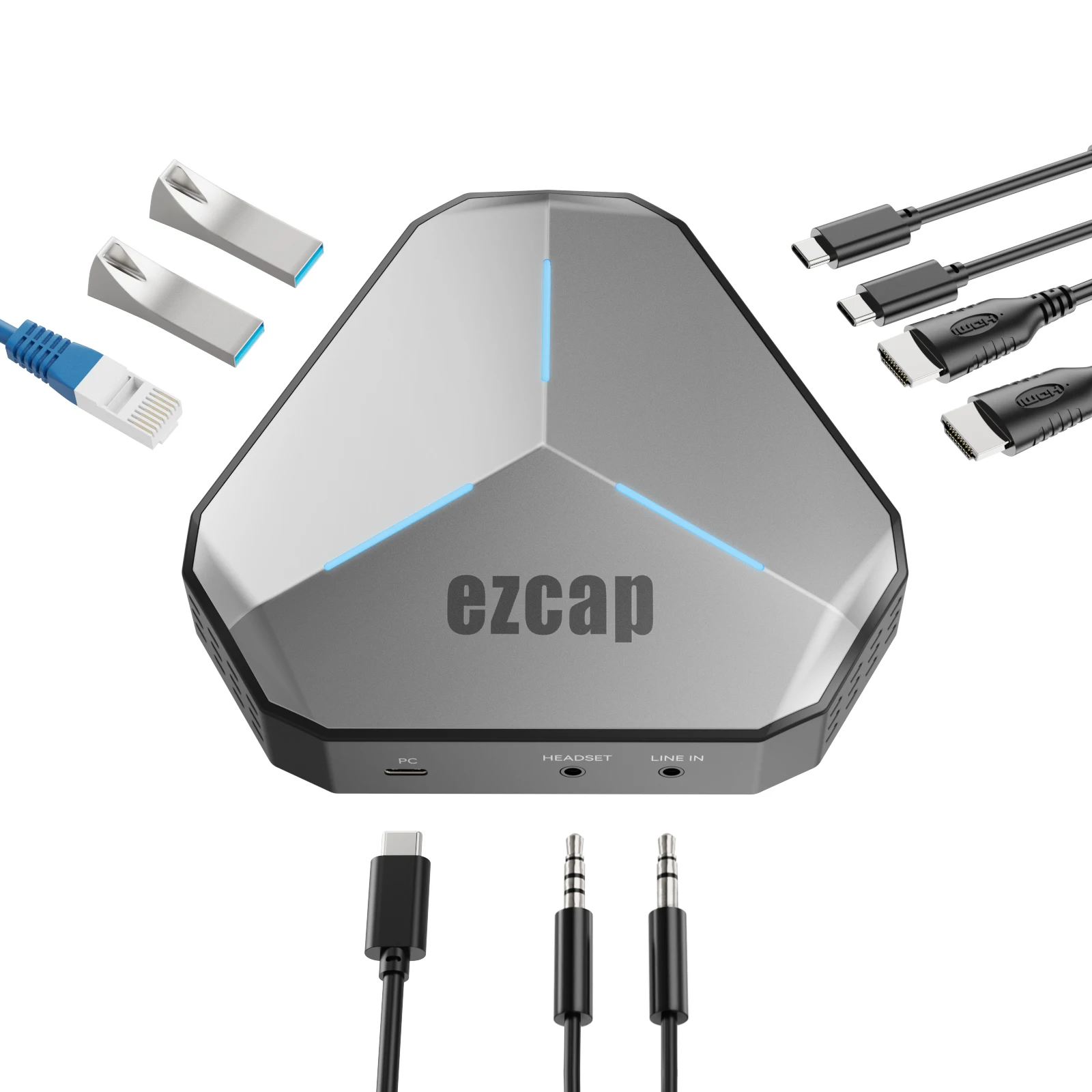
audio line input for mixing audio. And work as anUSB-C Dock to get Ethernet, USB-A data transfer,
and PD charge for the device thatfrom DP lN input.
Features:
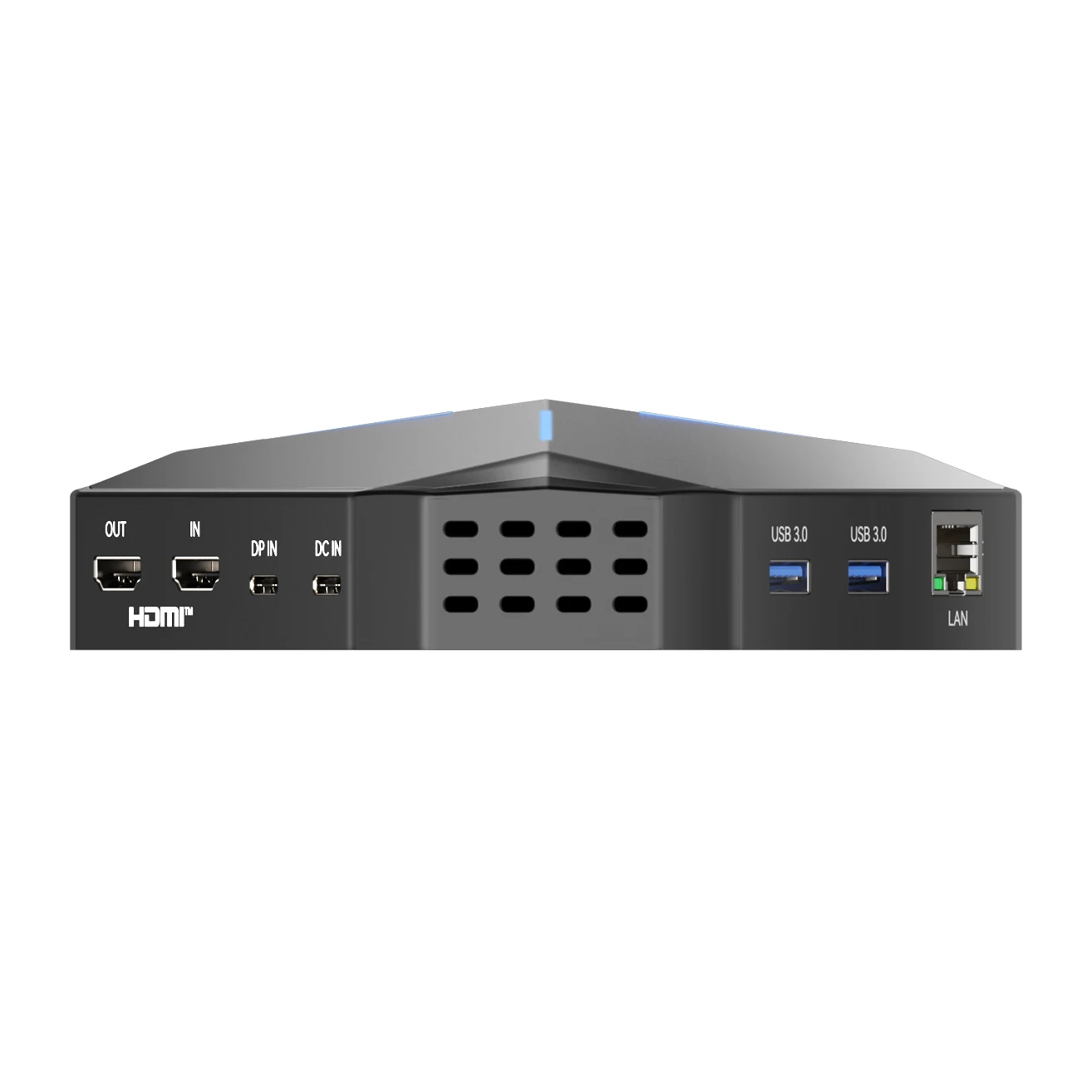
HDMI/DP input, HDMI output and recording up to 4K60/2K144/1K240.
Support Type-C of Nintendo Switch 2 output to screen casting and capture.
4K60/1440P144/1080P240 resolution.
Support PD charge for USB-C upstream device
Support VRR and HDR.
Support audio mix with video.
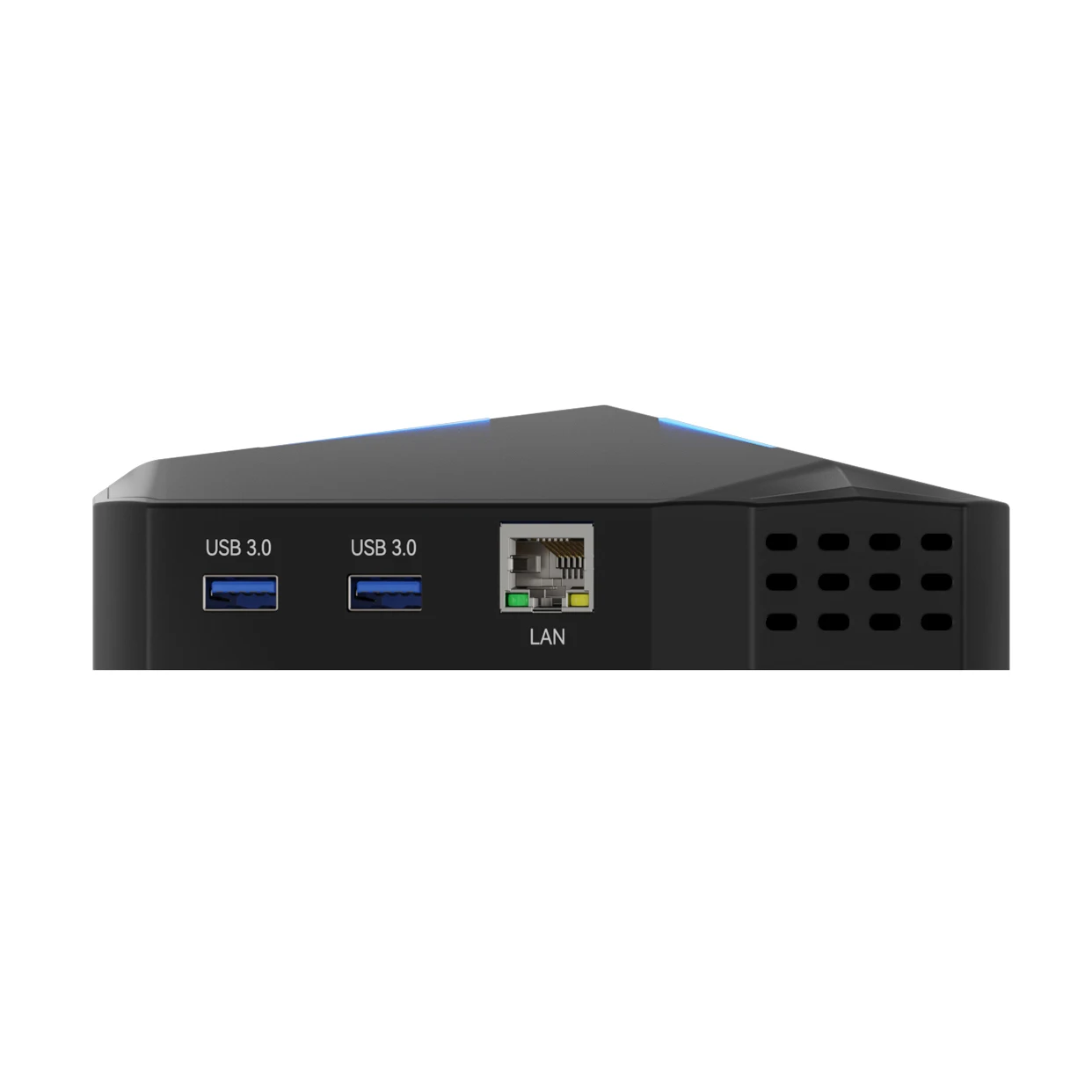
With extra ethernet and USB 3.0 ports.
UVC solution, no driver installation
Specifications:
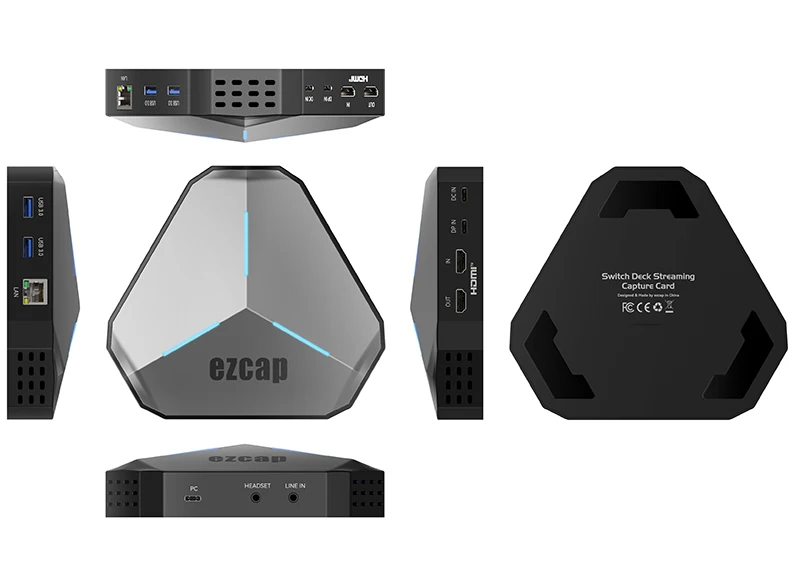
Interface: USB 3.2 Gen 1
Video Input: HDMI ® 2.0 enabled, and USB-C DP Alt 1.4, supports 4K60.
Video Output: HDMI 2.0
Audio Input: HDMI 2.0, 3.5mm Line In (TRS 3-pole), 3.5mm headset microphone input (CTIA 4-pole)
Audio Output (Pass-Through): HDMI 2.0, 3.5mm headset earphone output (CTIA 4-pole)
Max. HDR Pass-Through Resolution: 2160p60, 1440p144/120, 1080p240
Max. VRR Pass-Through Resolution: 3840x 2160 – VRR (48-60 Hz), 1920 x 1080 – VRR (48-120 Hz). (Note: YCbCr420 VRR is not supported. Such as XBOX X1, please tick Allow YCC 4:2:2 settings to allow VRR)
Max Record Resolution:
3840 x 2160 - 60fps/MJPG, 30fps/NV12/I420.
2560 x 1440 - 144fps/120fps/MJPG,60fps/NV12/I420,50fps/YUY2
2560 x 1080 - 60fps/NV12/I420/YUY2/MJPG.
1920 x 1080 -240fps/MJPG ,120fps/NV12/I420,60fps//YUY2/RGB24/P10
1280 x 720 - 60fps/NV12/I420/YUY2/RGB24/MJPG.
PD: Power Delivery 3.0
Ethernet: 10/100/1000 Mbps
USB-A 3.0 x2: data transfer at speeds up to 5Gb/s
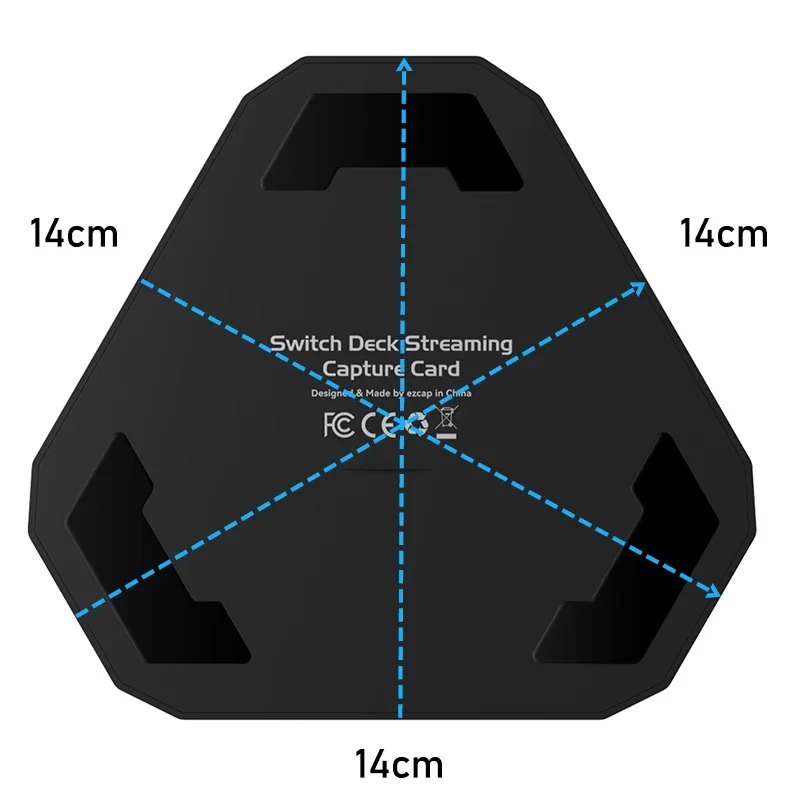
Product Size: approx. : 151 x 137 x 40 mm
Retail box size: approx. : 193 x 177x 72 mm
System Requirements:
Windows 10 x64 / 11 x64,USB 3.2 Gen 1 Port x1
Desktop: Intel Core i5-6XXX or above, NVIDIA GeForce GTX 1060 or above.
Laptop: Intel Core i7-7700HQ or above, NVIDIA GeForce GTX1050 Ti or above.
8 GB RAM recommended.
macOS 11 / 12, USB 3.2 Gen 1 Port x1
Apple M1 or Intel i7 quad-core or above, Radeon Pro 555 with 2 GB of VRAM,
16 GB of 2400 MHz DDR4 memory.
Work As An USB-C Dock:
Please connect an USB-C upstream device to ezcap368 device through DP IN port,such as laptop,
Nintendo Switch, iPad, or Smartphone. And connect USB cable to PC port of ezcap368 device and
computer USB 3.0 port. The ezcap368 can work as an USB-C dock,
And the functions are only for the device that connect to DP lN port.
Two USB-A ports, connect to USB-A devices to support data transfer at speeds up to5 Gb/s,
such as USB flash drive, mouse or keyboard.
LAN port, connect to a router or modem at 10/100/1000 Mbps.
DC IN port, compatible with Power Delivery 3.0.
HDMl OUT port, connect to a device with an HDMl port to display video at resolutionup to 4K60.
Work As an USB Capture Card:
Connect Video Source Device
Please make sure what video input ports for your video source device that you needto connect -
HDM INPUT or DP INPUT. Then connect by HDMl cable or by USB-C connector of device DP input.
If you use the USB-C output video source device, please connect your USB-C power cable with
power adapter (the power cable and adapter are not included, and we suggest you use the original
cable and adapter of video source device) to DC IN portof ezcap368.
You do not need to connect PD charger if your video source device is HDMl output.
Connect HDMl OUT to TV or monitor if necessary.
Connect PC cable to computer USB port.
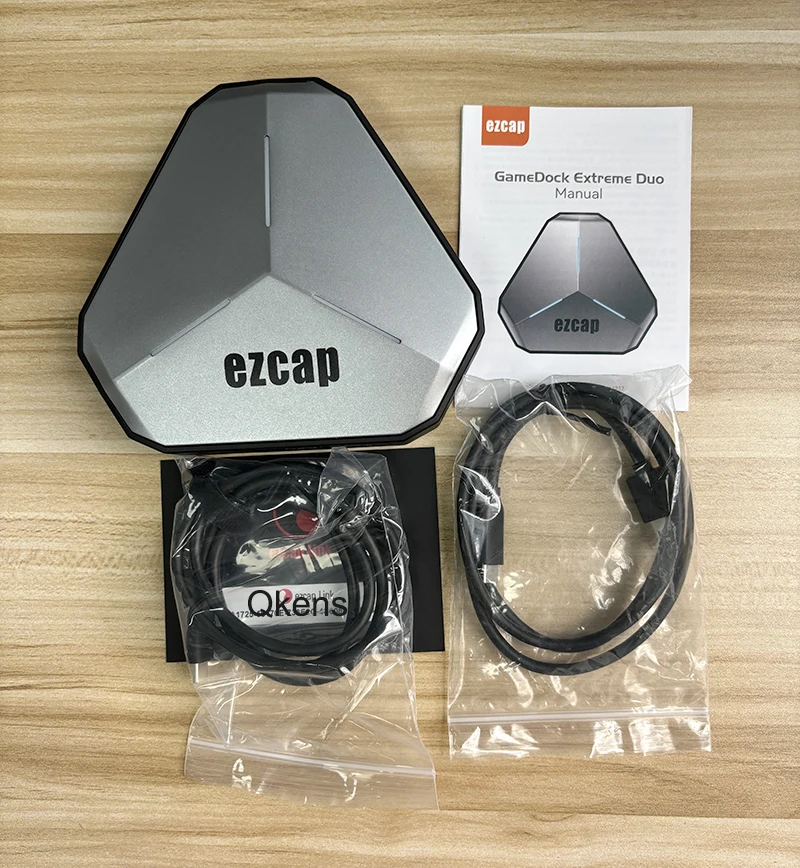
Package Contents:
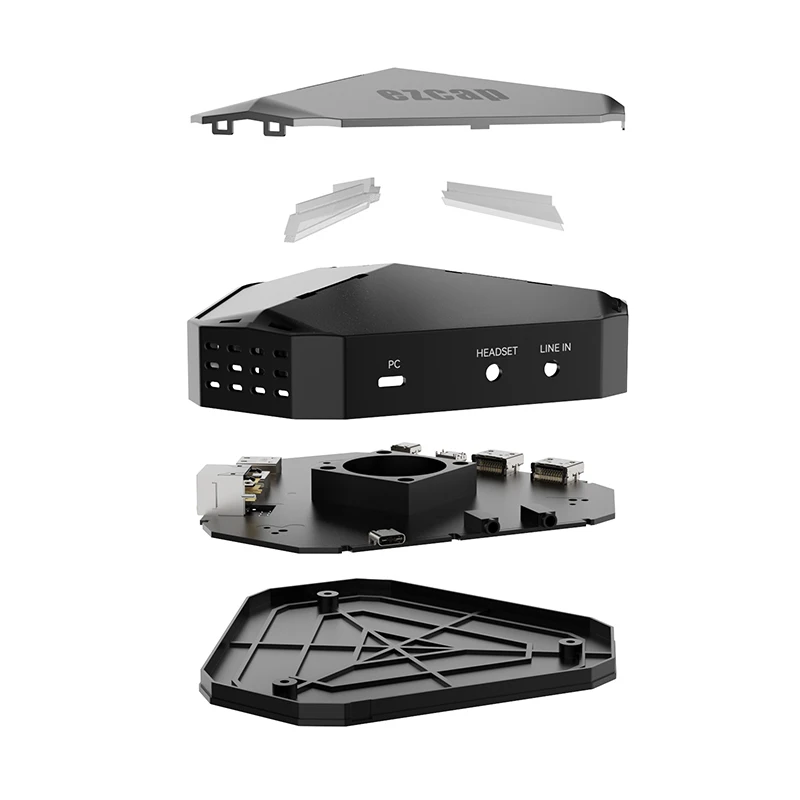
ezcap368 video capture card x1
USB - Type C Cable x1
Type C - Type C cable x1
Manual x1
Thanks for purchasing ezcap368 GameDock Extreme Duo game capture card.
You can use this device: Input HDMl and DP video, and output HDMl video up to4KP60 resolution,
and capture and stream up to 4KP60 or 1080P120 on yourcomputer, and mix microphone and
audio line input for mixing audio. And work as anUSB-C Dock to get Ethernet, USB-A data transfer,
and PD charge for the device thatfrom DP lN input.
Features:
HDMI/DP input, HDMI output and recording up to 4K60/2K144/1K240.
Support Type-C of Nintendo Switch 2 output to screen casting and capture.
4K60/1440P144/1080P240 resolution.
Support PD charge for USB-C upstream device
Support VRR and HDR.
Support audio mix with video.
With extra ethernet and USB 3.0 ports.
UVC solution, no driver installation
Specifications:
Interface: USB 3.2 Gen 1
Video Input: HDMI ® 2.0 enabled, and USB-C DP Alt 1.4, supports 4K60.
Video Output: HDMI 2.0
Audio Input: HDMI 2.0, 3.5mm Line In (TRS 3-pole), 3.5mm headset microphone input (CTIA 4-pole)
Audio Output (Pass-Through): HDMI 2.0, 3.5mm headset earphone output (CTIA 4-pole)
Max. HDR Pass-Through Resolution: 2160p60, 1440p144/120, 1080p240
Max. VRR Pass-Through Resolution: 3840x 2160 – VRR (48-60 Hz), 1920 x 1080 – VRR (48-120 Hz). (Note: YCbCr420 VRR is not supported. Such as XBOX X1, please tick Allow YCC 4:2:2 settings to allow VRR)
Max Record Resolution:
3840 x 2160 - 60fps/MJPG, 30fps/NV12/I420.
2560 x 1440 - 144fps/120fps/MJPG,60fps/NV12/I420,50fps/YUY2
2560 x 1080 - 60fps/NV12/I420/YUY2/MJPG.
1920 x 1080 -240fps/MJPG ,120fps/NV12/I420,60fps//YUY2/RGB24/P10
1280 x 720 - 60fps/NV12/I420/YUY2/RGB24/MJPG.
PD: Power Delivery 3.0
Ethernet: 10/100/1000 Mbps
USB-A 3.0 x2: data transfer at speeds up to 5Gb/s
Product Size: approx. : 151 x 137 x 40 mm
Retail box size: approx. : 193 x 177x 72 mm
System Requirements:
Windows 10 x64 / 11 x64,USB 3.2 Gen 1 Port x1
Desktop: Intel Core i5-6XXX or above, NVIDIA GeForce GTX 1060 or above.
Laptop: Intel Core i7-7700HQ or above, NVIDIA GeForce GTX1050 Ti or above.
8 GB RAM recommended.
macOS 11 / 12, USB 3.2 Gen 1 Port x1
Apple M1 or Intel i7 quad-core or above, Radeon Pro 555 with 2 GB of VRAM,
16 GB of 2400 MHz DDR4 memory.
Work As An USB-C Dock:
Please connect an USB-C upstream device to ezcap368 device through DP IN port,such as laptop,
Nintendo Switch, iPad, or Smartphone. And connect USB cable to PC port of ezcap368 device and
computer USB 3.0 port. The ezcap368 can work as an USB-C dock,
And the functions are only for the device that connect to DP lN port.
Two USB-A ports, connect to USB-A devices to support data transfer at speeds up to5 Gb/s,
such as USB flash drive, mouse or keyboard.
LAN port, connect to a router or modem at 10/100/1000 Mbps.
DC IN port, compatible with Power Delivery 3.0.
HDMl OUT port, connect to a device with an HDMl port to display video at resolutionup to 4K60.
Work As an USB Capture Card:
Connect Video Source Device
Please make sure what video input ports for your video source device that you needto connect -
HDM INPUT or DP INPUT. Then connect by HDMl cable or by USB-C connector of device DP input.
If you use the USB-C output video source device, please connect your USB-C power cable with
power adapter (the power cable and adapter are not included, and we suggest you use the original
cable and adapter of video source device) to DC IN portof ezcap368.
You do not need to connect PD charger if your video source device is HDMl output.
Connect HDMl OUT to TV or monitor if necessary.
Connect PC cable to computer USB port.
Package Contents:
ezcap368 video capture card x1
USB - Type C Cable x1
Type C - Type C cable x1
Manual x1